


A walk through the app, screen by screen: how your plan gets built, what a session looks like, and what to do when the week goes sideways.
7 days free · a coach reviews your plan within 24 hours
01 · Your plan
Every new plan is reviewed by one of our coaches, within 24 hours.
On weekdays it is usually one to three hours after you sign up. Sign up on a Saturday and it happens on Monday.
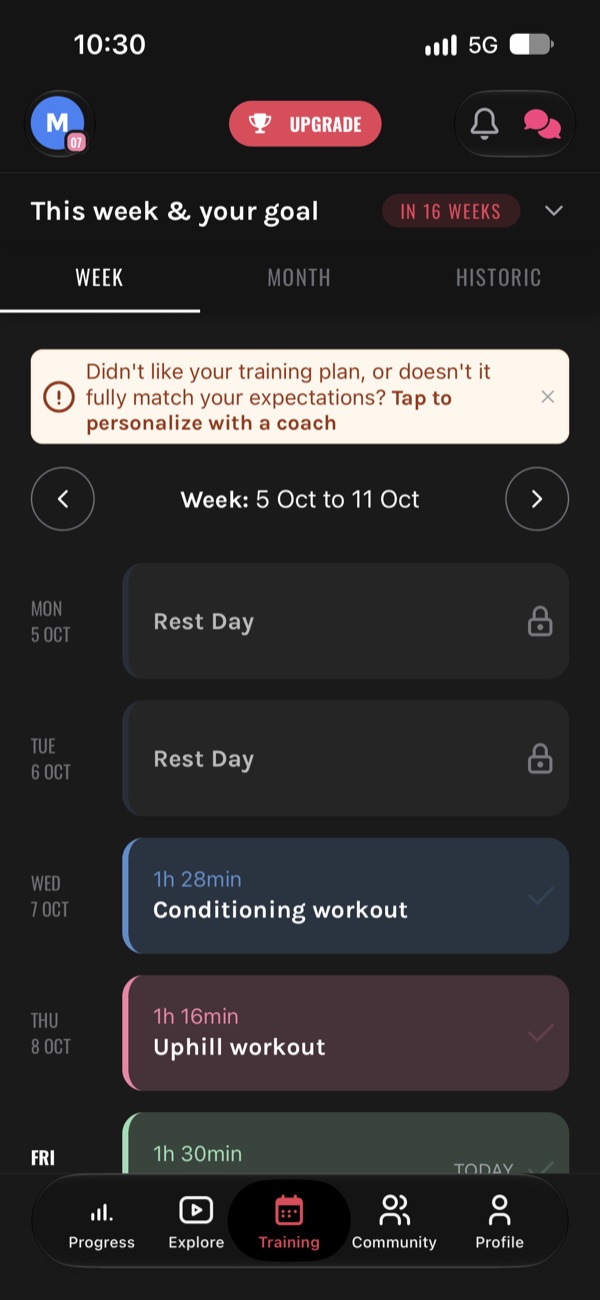
While you are in your trial the training week carries a banner. If the plan is not what you expected, tap it and ask a coach to personalise it. It goes straight to the coaching team.
Training is the middle tab, and it is where you will spend most of your time.
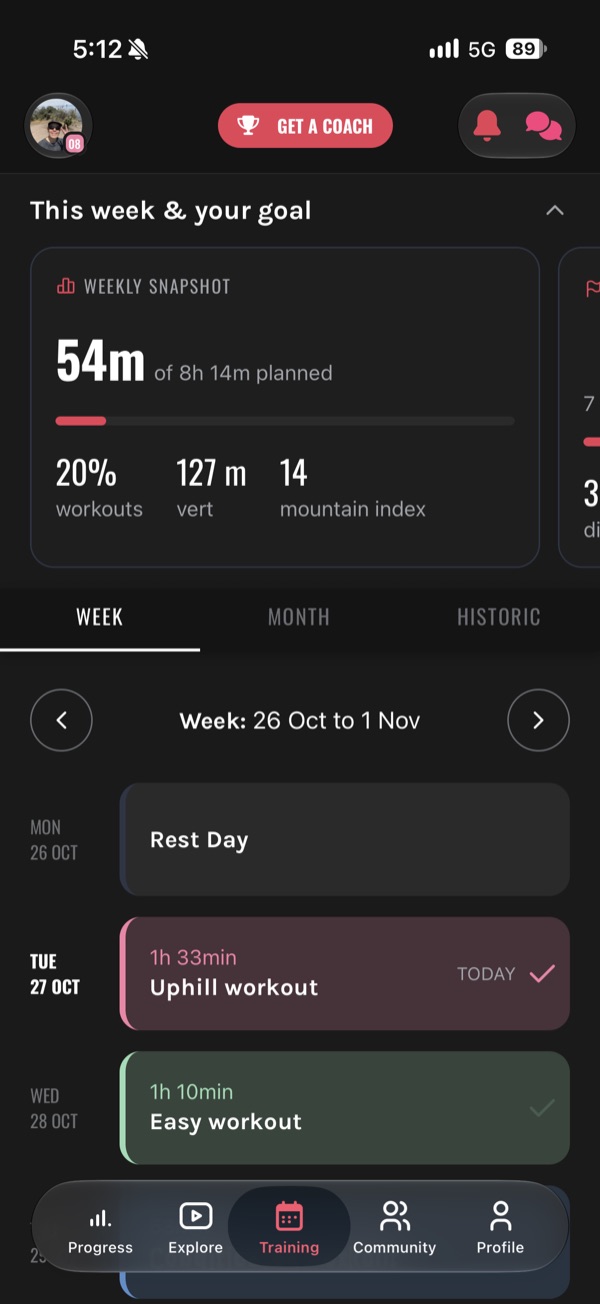
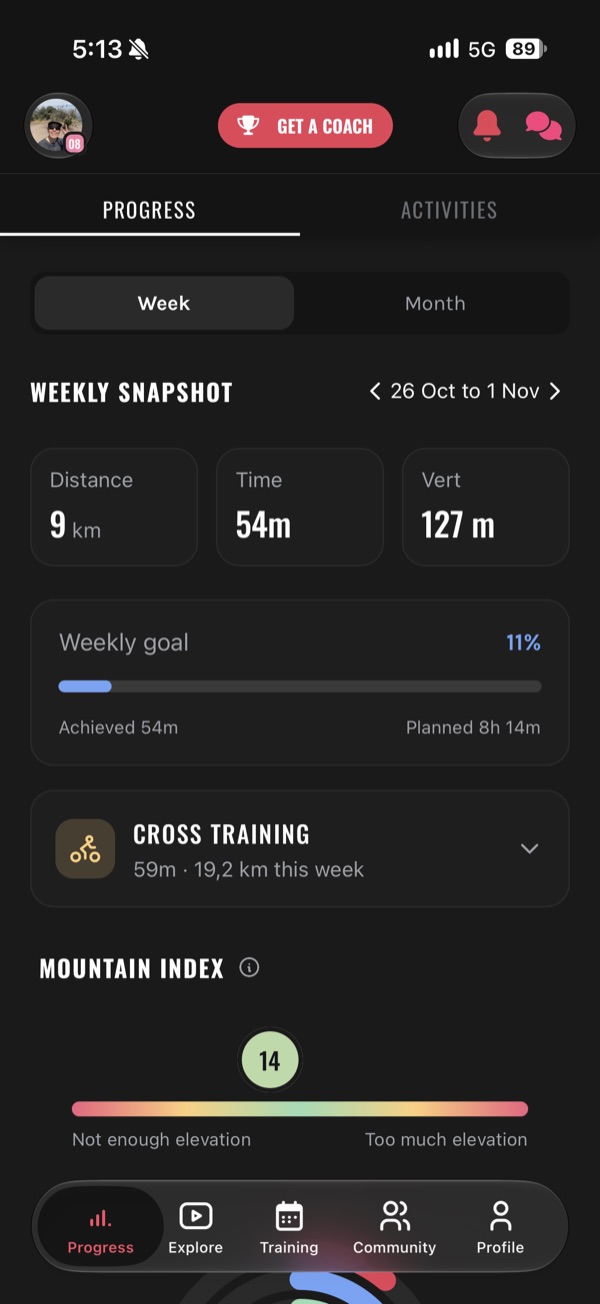
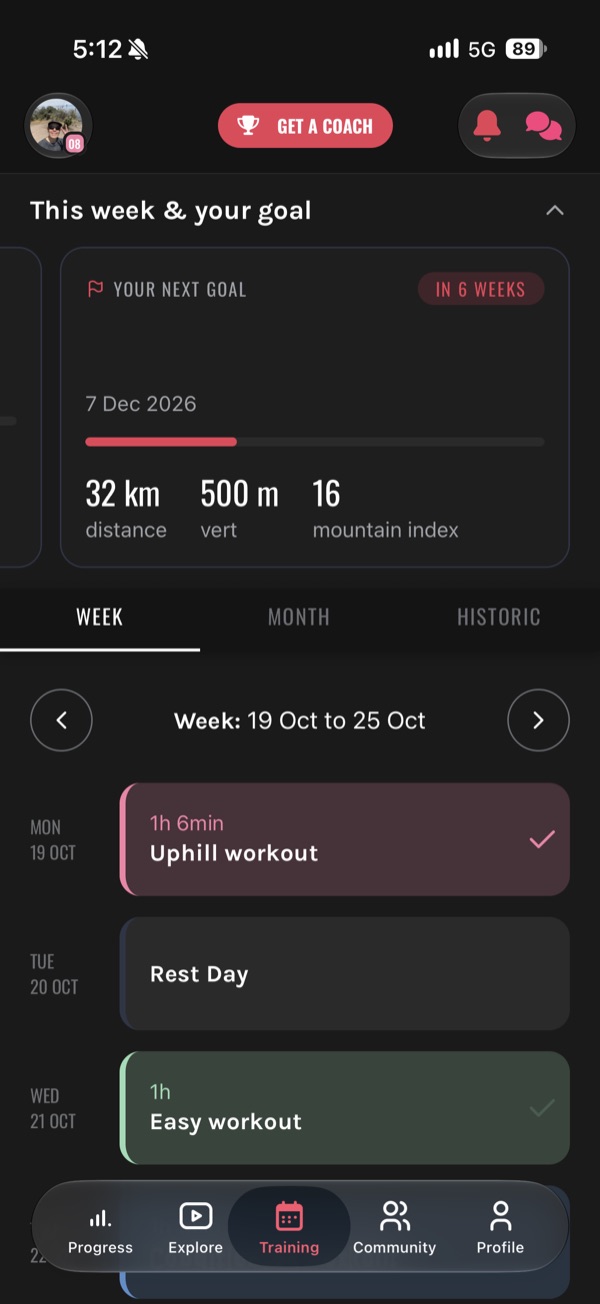
At the top, the weekly snapshot: time done against time planned, the climbing in your legs, and your Mountain Index for the week. Mountain Index is metres climbed divided by kilometres, so it tells you how steep your training actually is.
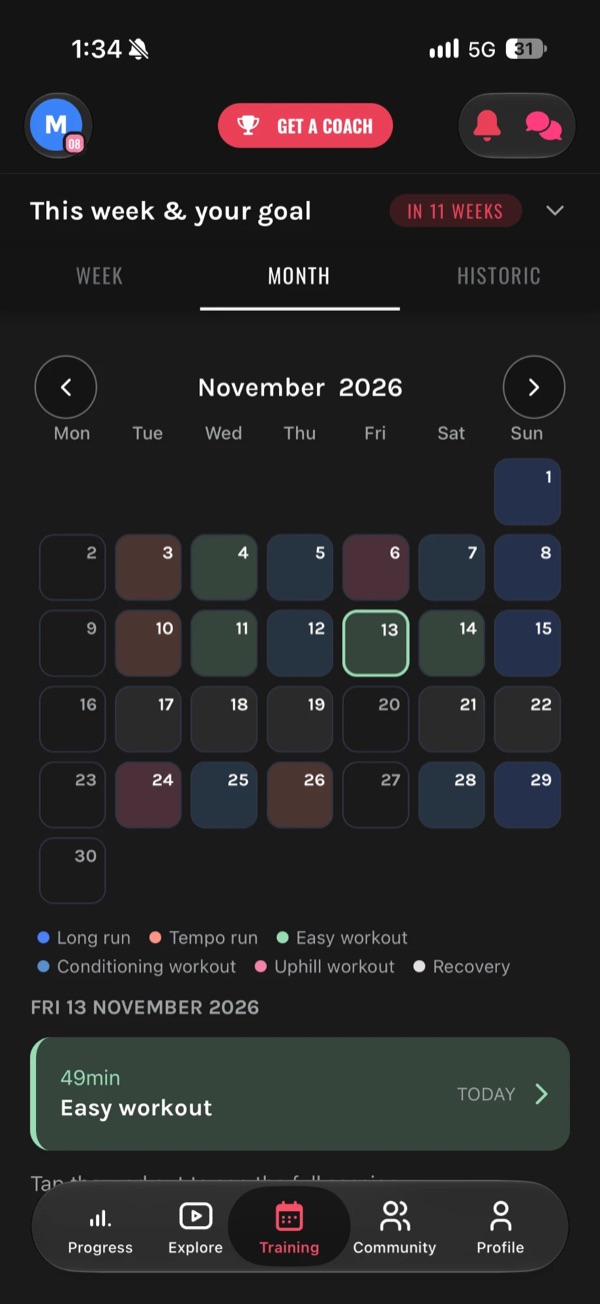
Under it: Week, Month and Historic. Every day is a card: rest, easy runs, uphill work, long runs, strength. If you have a race in the calendar, a card shows your next goal and how far out it is.
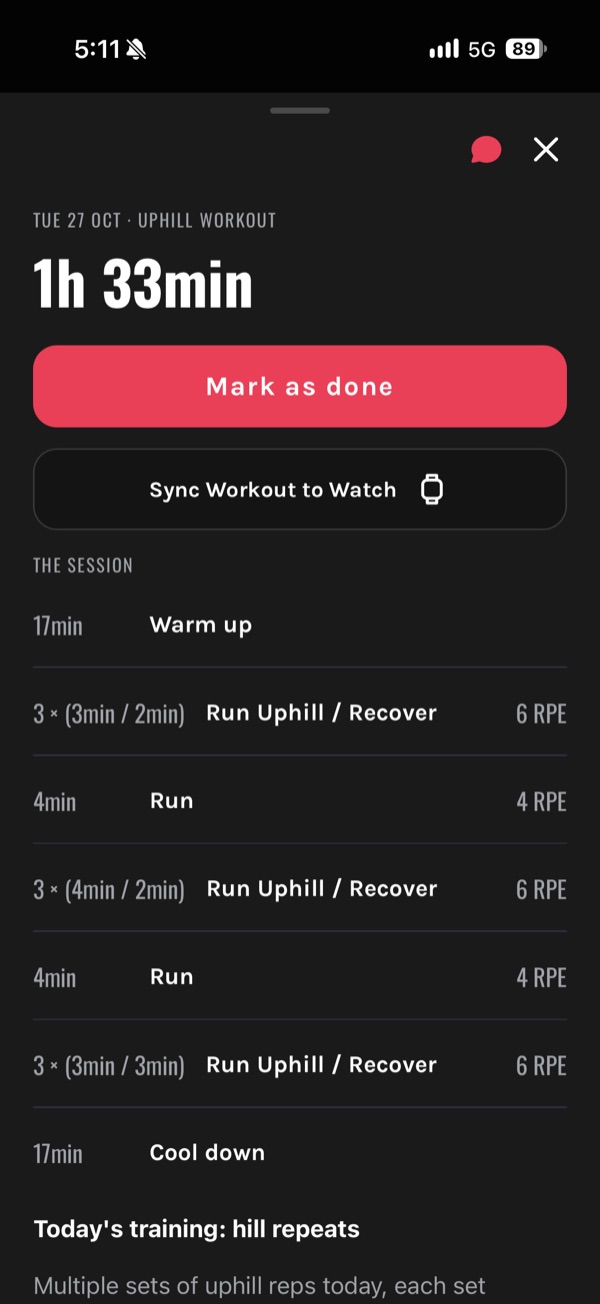
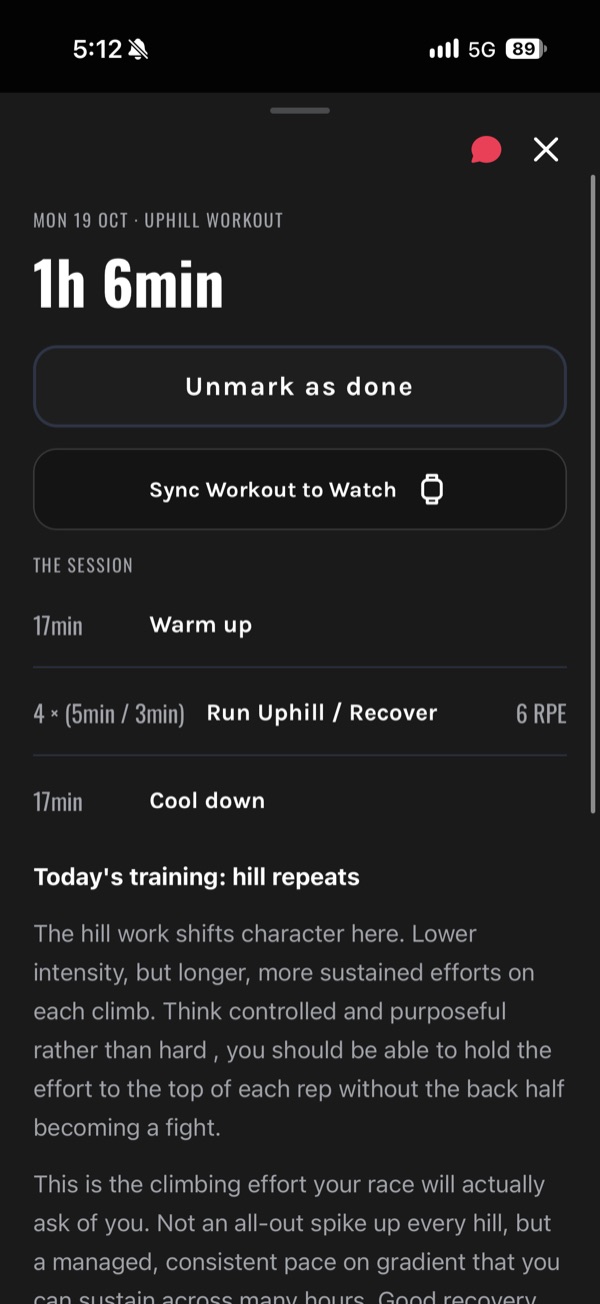
Tap a day and you get the whole session: warm up, the reps and their effort, cool down, total time.
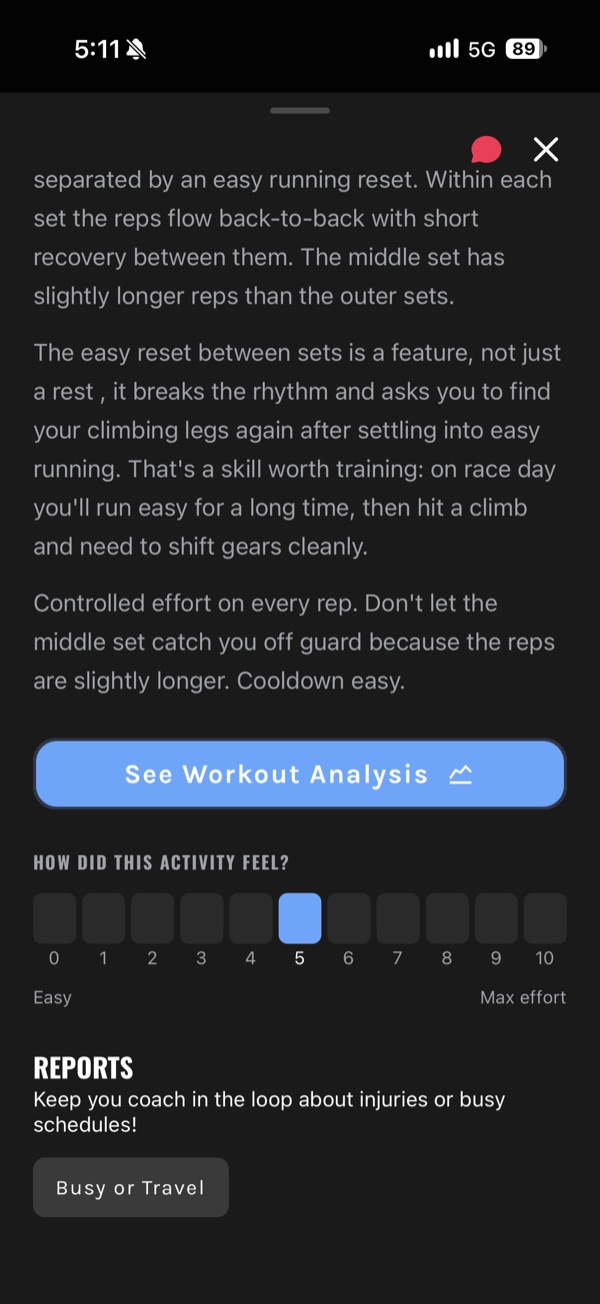
Everything is prescribed by effort and time, never by pace. On a climb, in mud, in the heat, pace lies to you. Effort does not. We use RPE, a 1 to 10 scale of how hard it feels (how RPE works), and a note from our coaches says what the session is for.
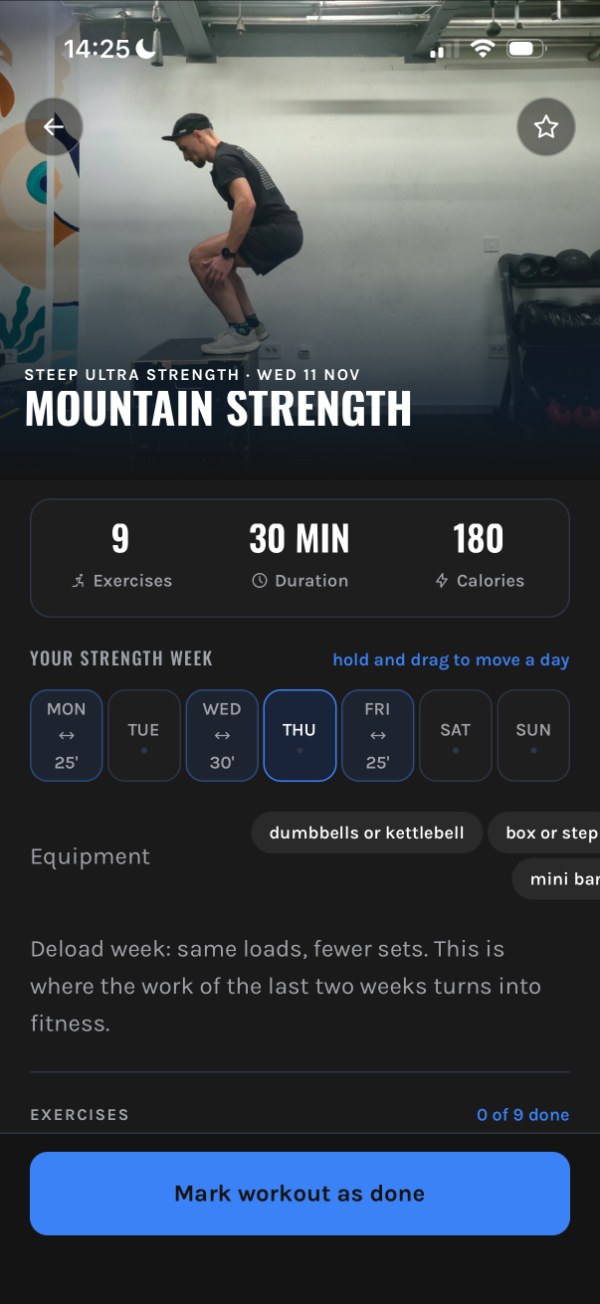
Strength sits in your week next to your runs: the exercises, the time, the equipment and why. Hold and drag it to move it to another day. Want a strength coach of your own? That is Strength coaching with Zeljko.
02 · Training day
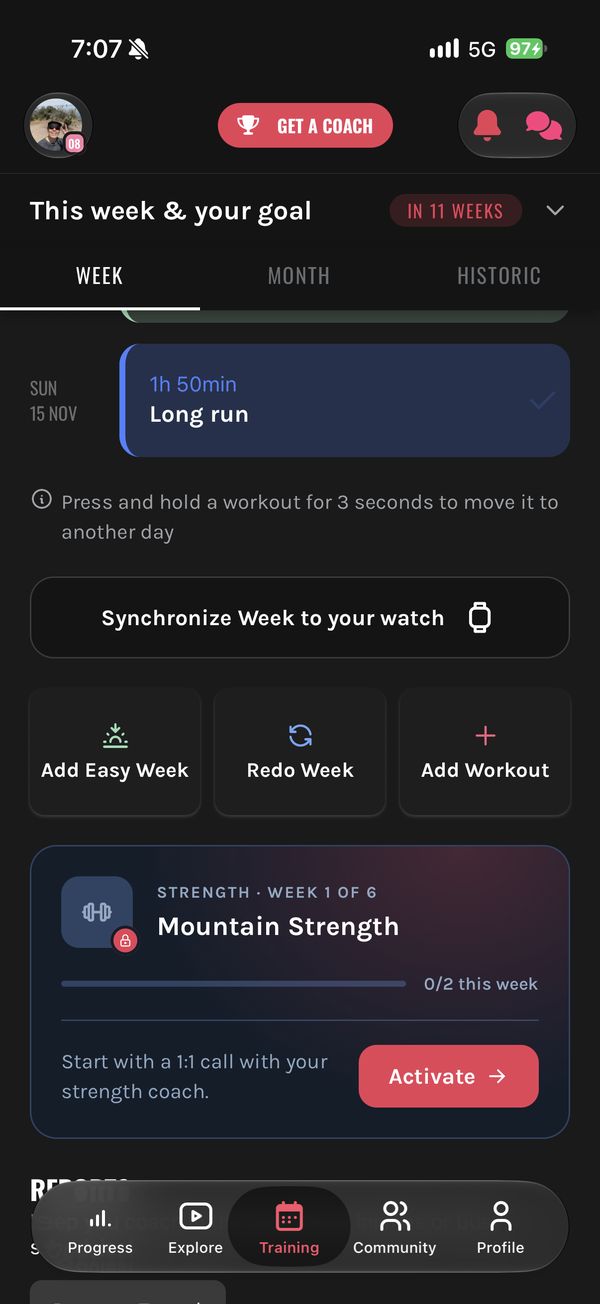
Send one session, or your whole week at once, with every step in it.
Garmin, Suunto and COROS. Connect your watch once (onboarding asks for it too). When you sync, you choose how it goes across: Heart Rate Zones, or Only splits to run on effort. With zones, effort maps like this (RPE or heart rate?):
Apple Watch is not connected directly. Record on the watch, let it flow to Strava, and the run comes back to your plan from there.
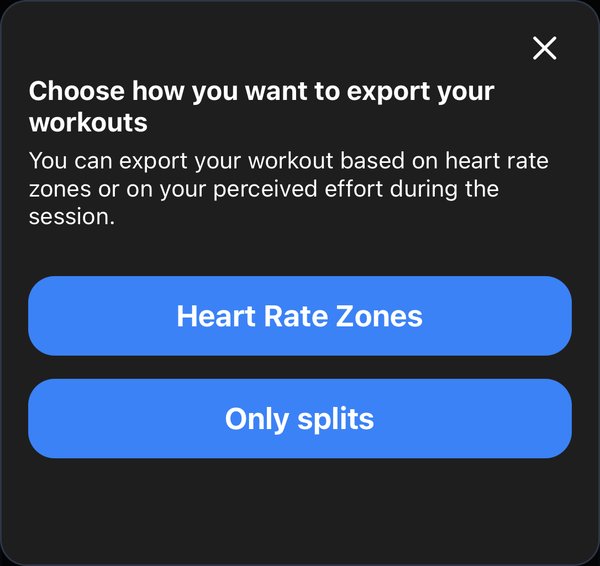
Heart rate zones, or only splits to run on effort
Your run comes back on its own and lines up with what was planned.
Garmin, COROS, Suunto and Strava send activities back to Vert, and we match them to that day's session. Recorded more than one? You choose which one counts.
You still mark the session as done yourself, on purpose: it is your check in with the week. Then rate how it felt, 0 to 10. It does not change your plan; it makes you stop and think about the session instead of only banking the numbers.
On Strava? Turn on “Show Vert.run branding on synced Strava activities” and your synced runs, trail runs and hikes show their Mountain Index.
Distance, time and climbing for the week or the month, and how much of the plan you actually did.
Cross training is counted separately, so a week on the bike does not disappear. The Mountain Index gauge shows whether the climbing in your training matches what your race will ask of you: too little and the climbs will hurt, too much and you dig a hole you have to recover from.
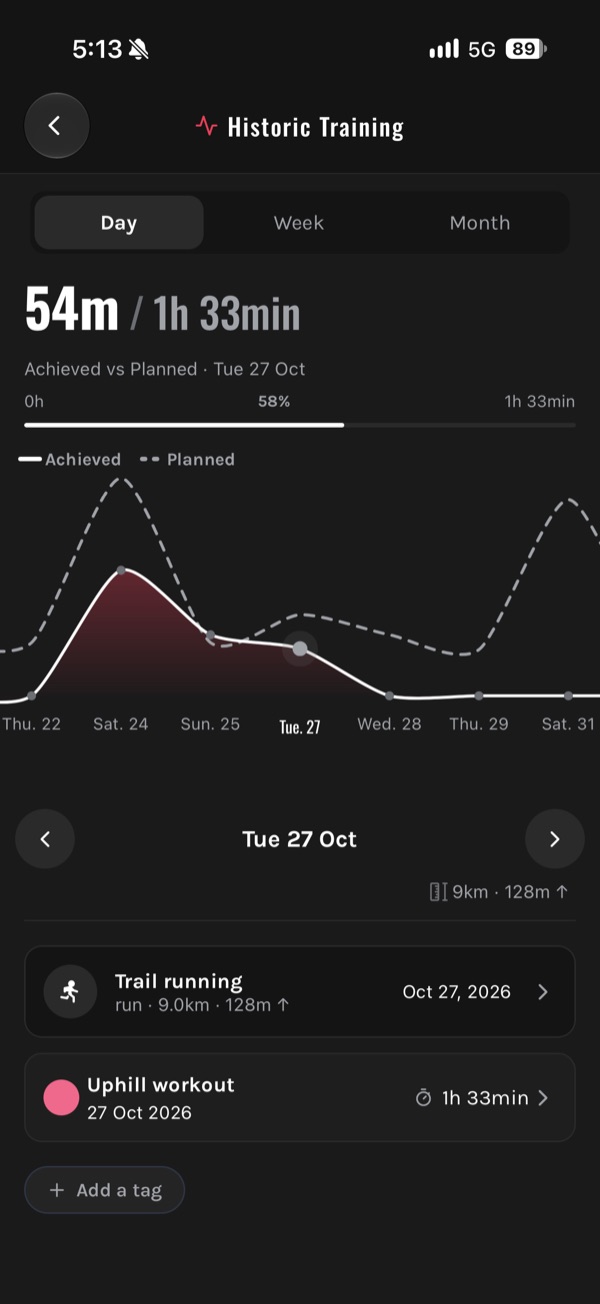
Historic, in the Training tab, shows Achieved vs Planned by day, week or month.
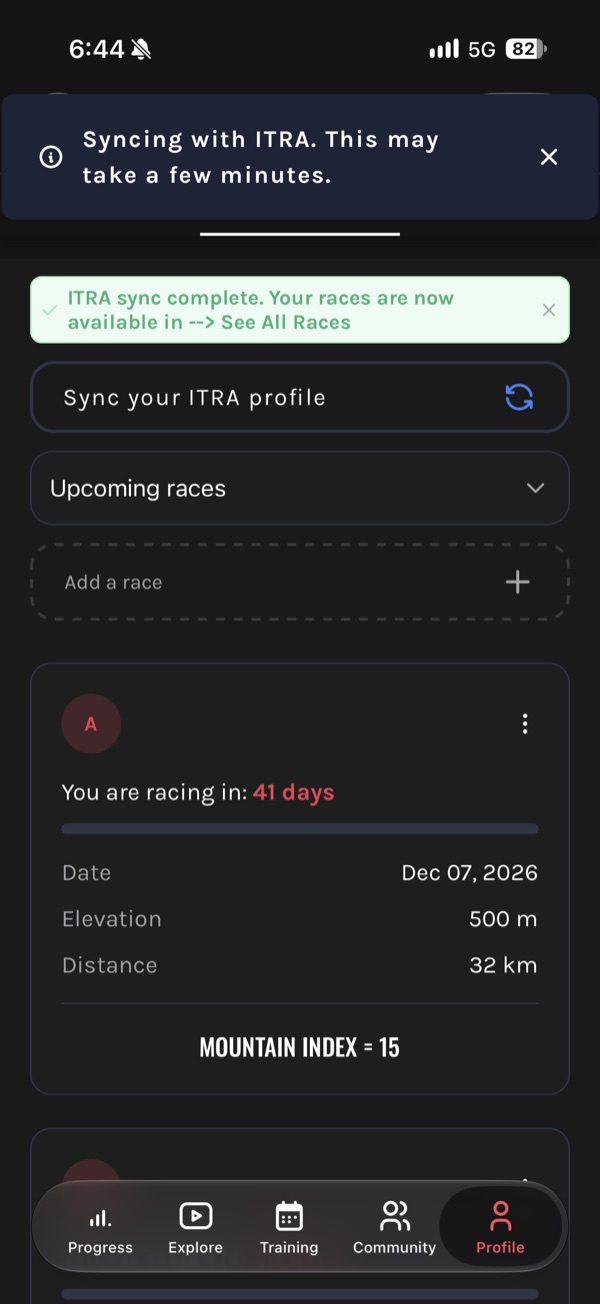
Two ways to add a race: from your profile, or by asking Coach Vert.run.
Name, distance, climbing, date, and a priority. The priority tells the plan how to behave:
The big oneThe plan is built for it, with a full taper and a proper recovery after.
Supports the A raceShort taper, short recovery, training barely interrupted.
A training run or a big day outNo taper, no recovery, the plan does not change.
Change a race or its priority later and the app asks whether to rebuild your plan around it. Connect ITRA and your past results come in, certified.
After your A race, the plan always gives you a recovery block first.
Then you choose. Add your next race and the plan rebuilds around it, with the race on your week as Your next goal: how far out it is, its distance, climbing and Mountain Index.
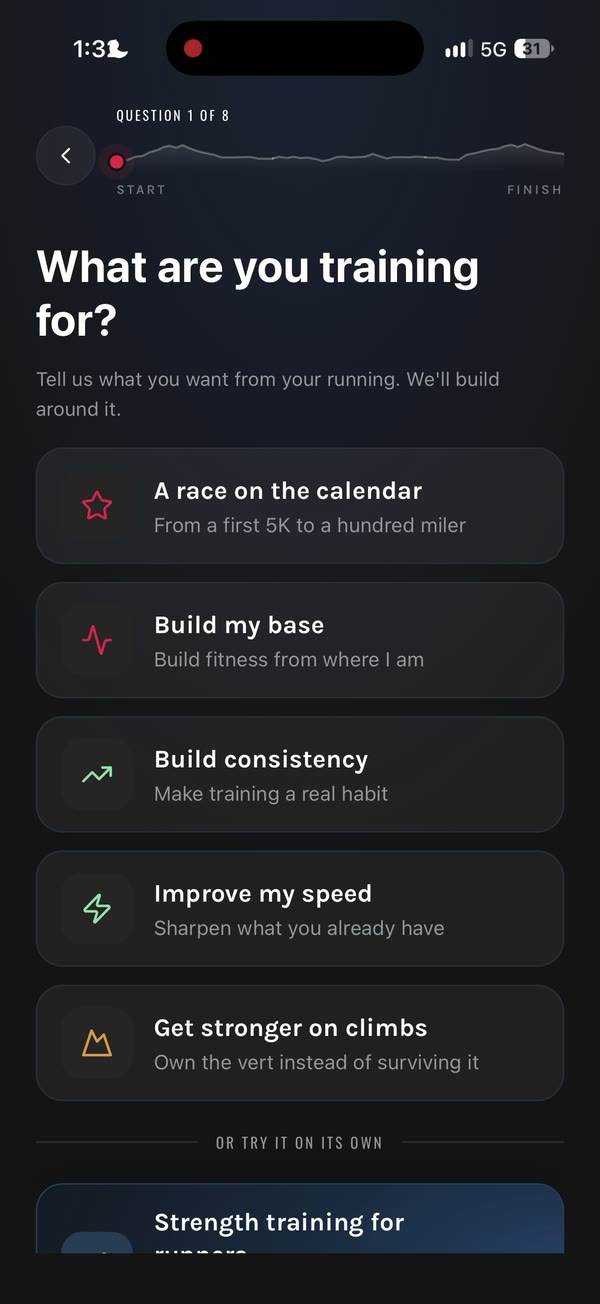
No race in mind yet? Pick what to focus on next: build your base, build consistency, get faster, or get stronger on climbs.
03 · When life changes
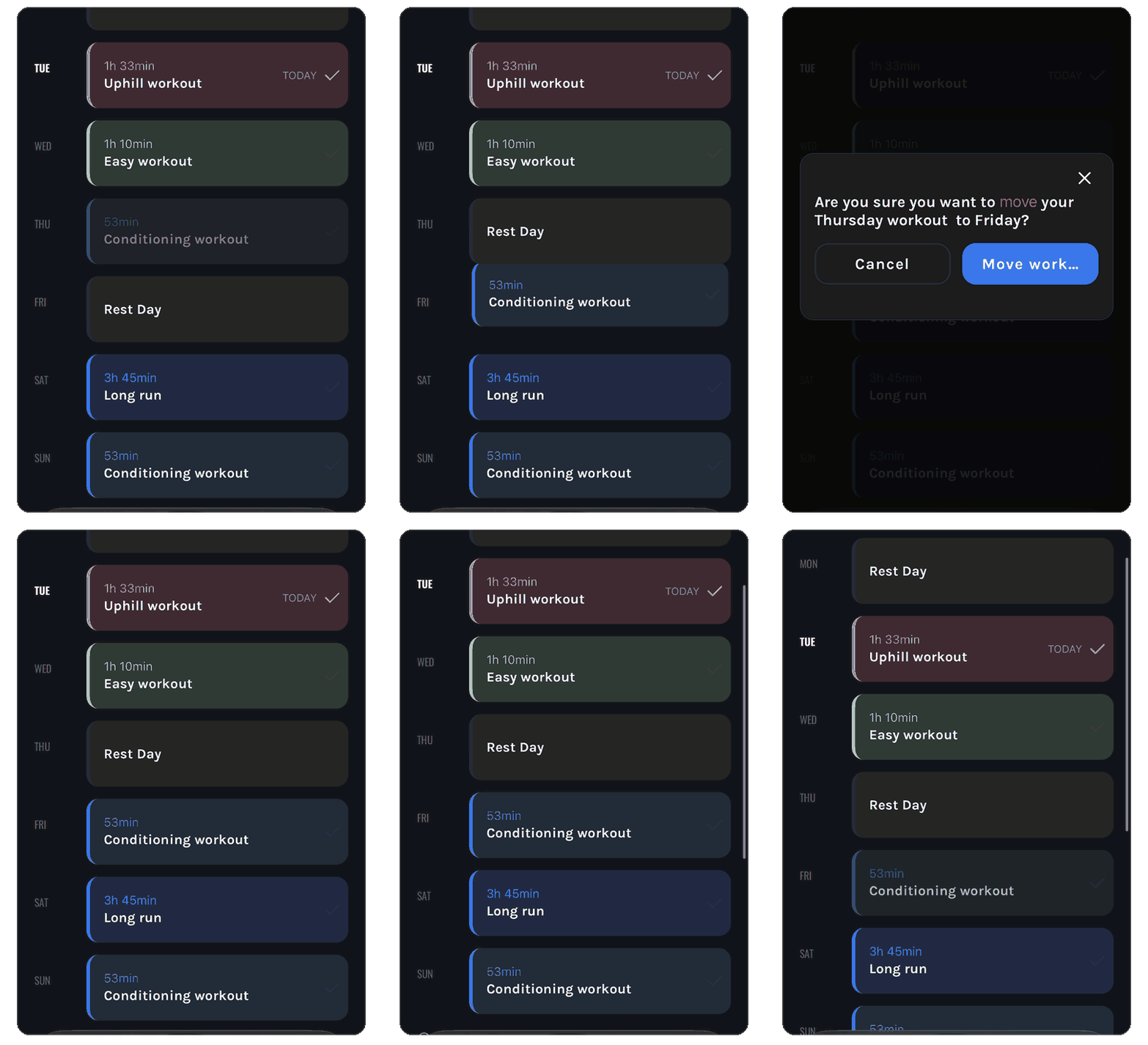
Press and hold a session for about three seconds, drag it to another day, confirm.
That is the whole thing. No coach to ask, nothing to rebuild. Your Tuesday session can be your Wednesday session because Tuesday did not happen.
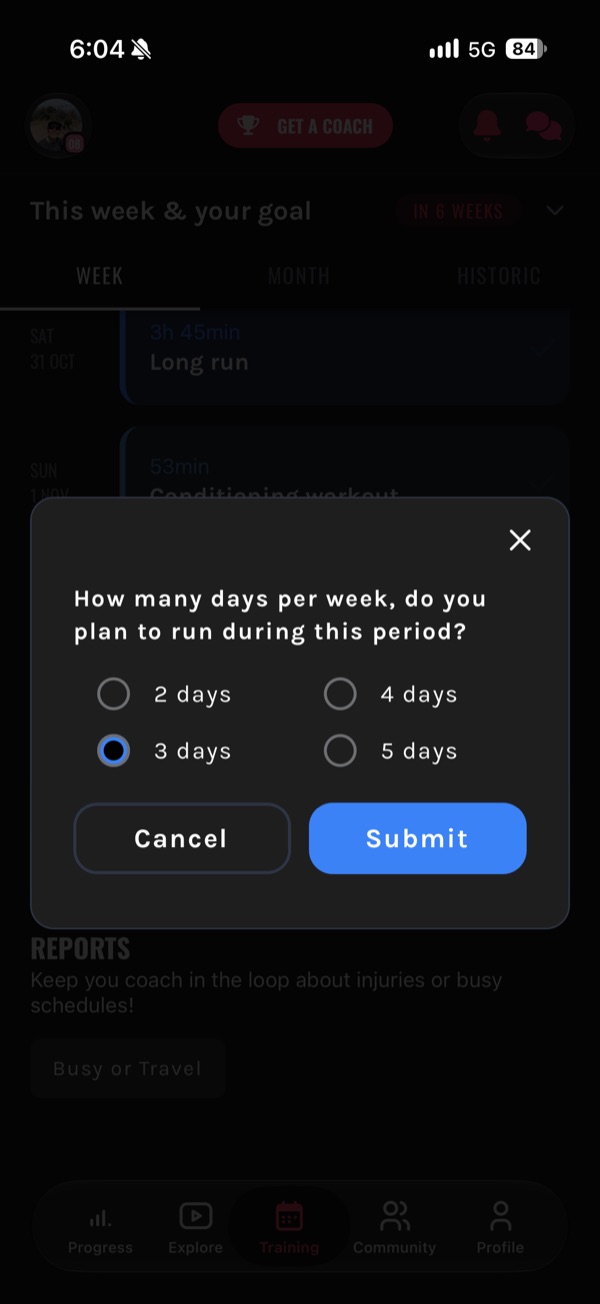
Travel, a brutal work week, a cold. Open the chat, tap Adjustments, pick what happened.
Report travel or busy period is the one people use most. Pick the weeks and how many days you can realistically run. Say three, and the week keeps the three sessions that matter most for your race. Planned session does not suit the day? Get a workout variation gives you a different version of it.
04 · Help when you need it
Outside the Adjustments menu it is just a conversation, and it knows your training.
Coach Vert.run has your plan, your sessions and your history, and it is built on more than 500,000 real conversations between our coaches and the runners they coach. Ask why a session is in your week, what to do about a niggle, how to pace Sunday's long run.
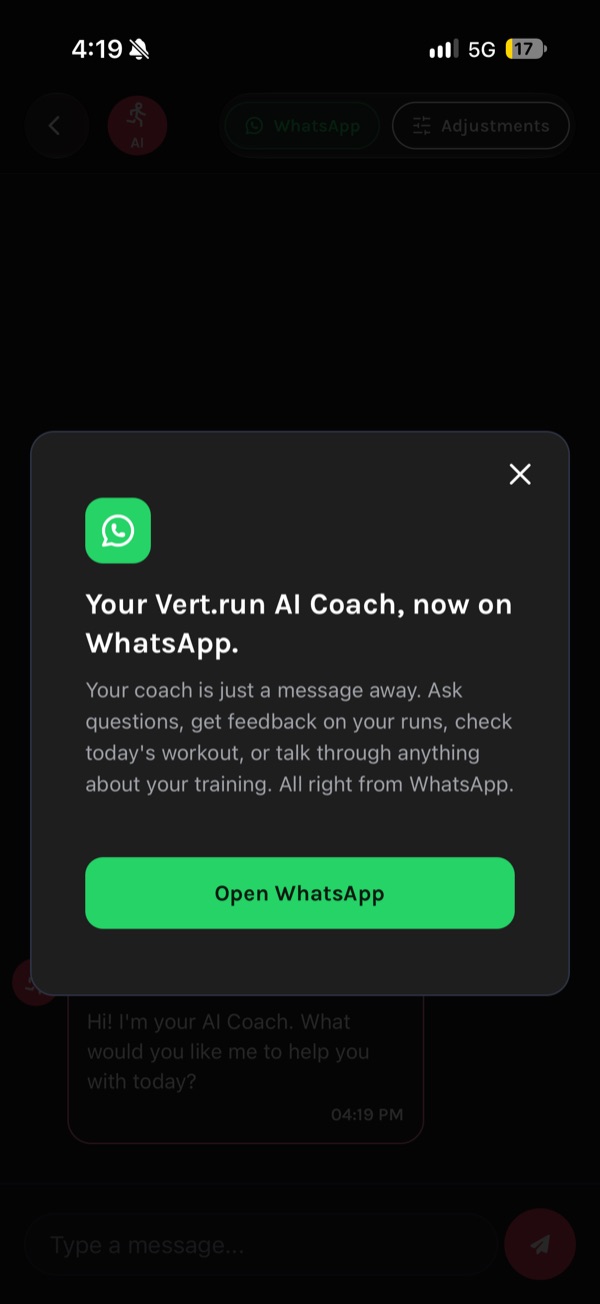
It also lives on WhatsApp (button at the top of the chat). There it answers questions; changes to your plan happen in the app.
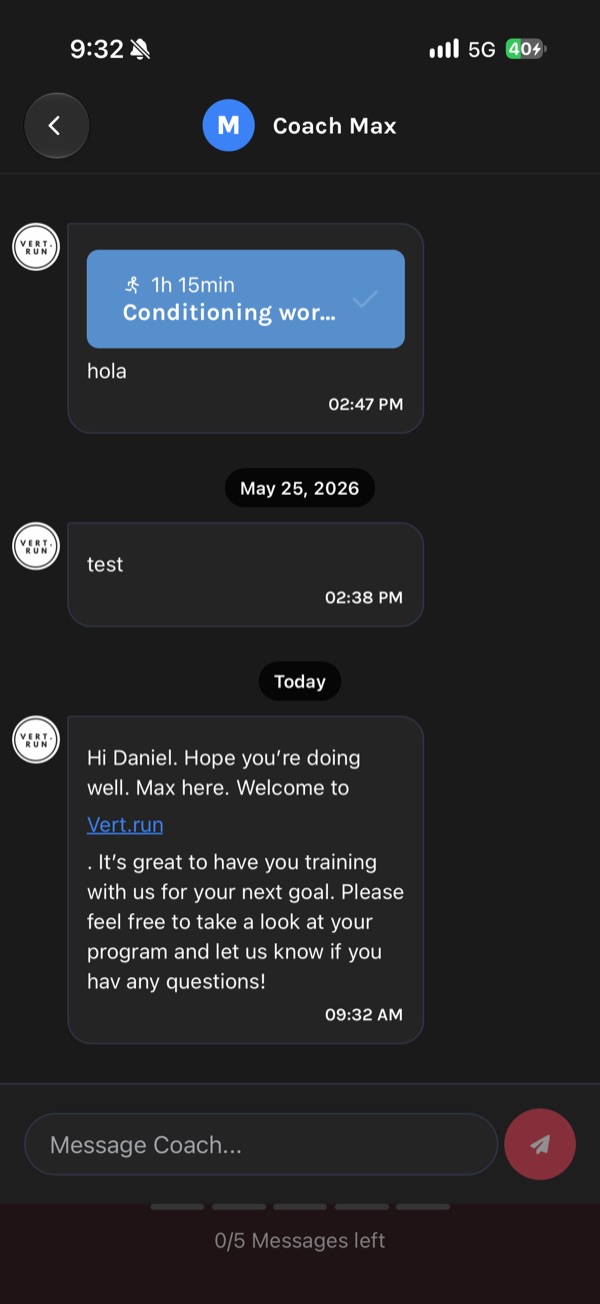
VertPro includes 5 messages to our coaching team, in the app chat. Real coaches, not the assistant.
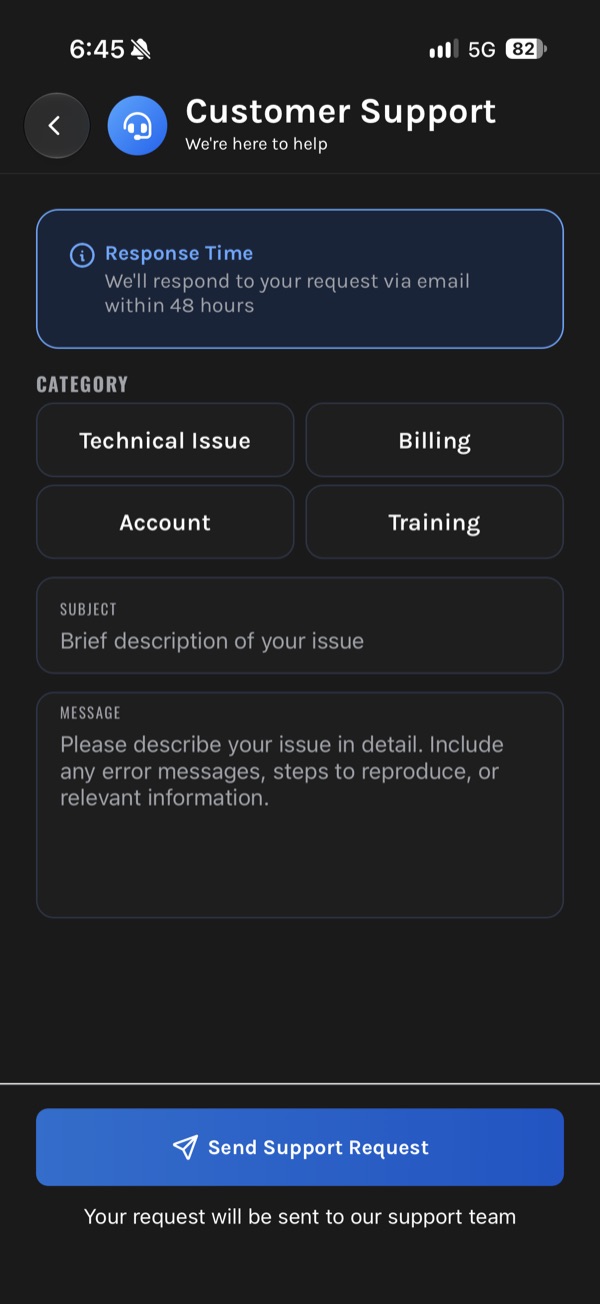
Use them on what is worth a human: coming back from injury, a race you are not sure you are ready for, a plan that does not fit your life. After that the team is still there: Chat, then customer support, then training, reaches the coaches by email. Anything else: team@vert.run, within 48 hours.
Want a coach of your own, week in and week out? That is VertCoaching.
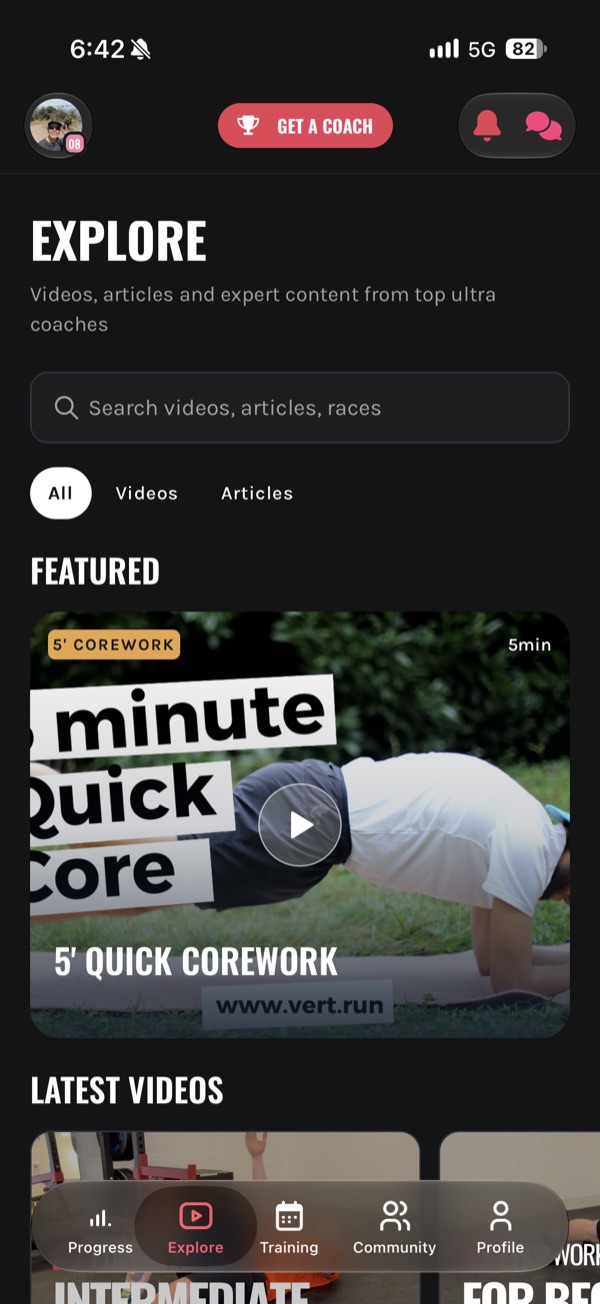
The library tab: videos and articles from our coaching team.
Strength and core work you can do at home, technique on climbs and descents, fuelling, how RPE works, what to expect from your first ultra. Short and practical, made by the same coaches who write the plans.
Next to it is Community, where you share runs and adventures with other trail runners on Vert.
Your training week and the first three workouts of your plan, plus 5 messages to Coach Vert.run. There is no free plan beyond that.
7 days. It turns into a paid subscription on its own unless you cancel before it ends.
Subscribed on your phone? Cancel or change it in the App Store or Google Play, like any app. Subscribed on the web? Settings, then Subscription details.
Your coach messages you in the chat to set up your first call as soon as possible. On VertCoaching you can also book extra 30-minute calls with your coach.
Everything here works in a browser at app.vert.run as well as on your phone.
The app, the plans and our coaching are in English, French and Spanish. Coach Vert.run also answers in German.
Garmin, Suunto and COROS both ways. Strava for importing runs. ITRA for your race results.
They work like in any app: turn them on and you will hear from us there.
team@vert.run for anything about your account or the app, within 48 hours. explore@vert.run for coaching questions.

Ready when you are
Tell us what you are training for and we build the plan around where you are now.
7 days free · a coach reviews your plan within 24 hours